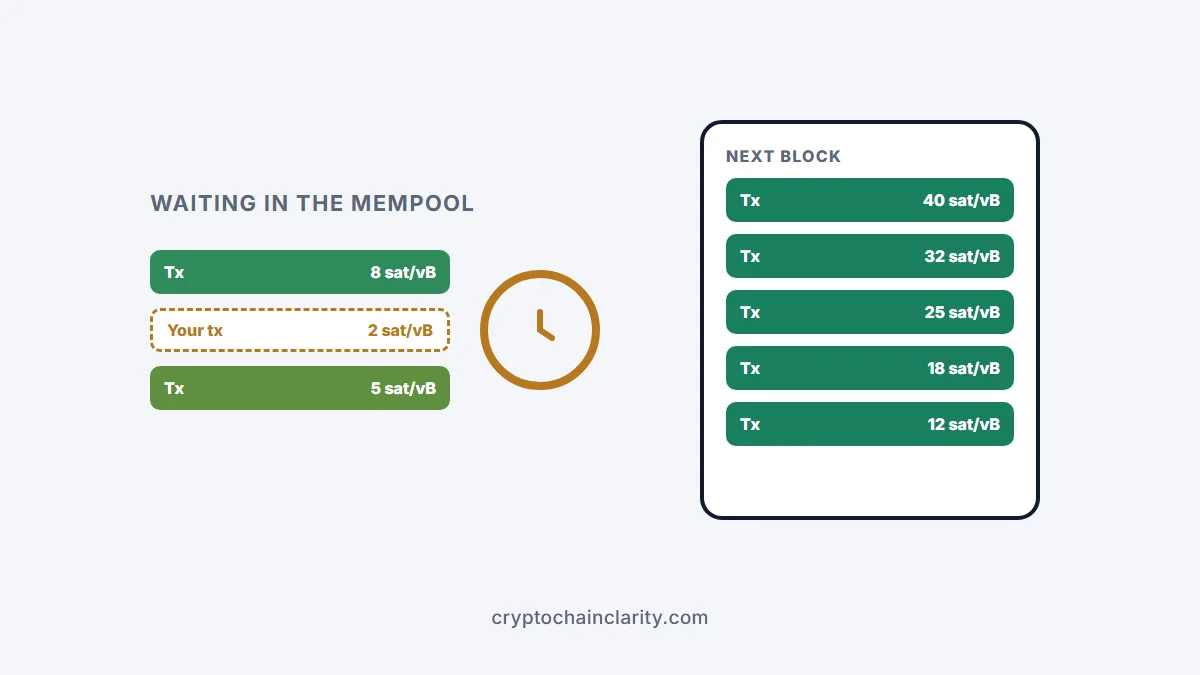
A bitcoin transaction unconfirmed for hours almost always means one thing: the fee was too low for how busy the network is right now. Miners pick the transactions that pay the most per unit of space first, so low-fee transactions wait in a queue called the mempool. Your funds aren’t lost. The transaction will either be confirmed when demand drops, be sped up by raising the fee, or eventually drop out of the queue and return to your wallet.
Here’s how to check what’s happening, and the three ways to fix it: replace-by-fee (RBF), child pays for parent (CPFP), or waiting.
Bitcoin transaction unconfirmed? Step 1: check it
Copy the transaction ID (also called TXID or hash) from your wallet or the exchange’s withdrawal details, and paste it into a block explorer such as mempool.space. You’ll see:
- whether it’s unconfirmed (waiting in the mempool) or already confirmed,
- its fee rate, in satoshis per virtual byte (sat/vB),
- the fee rates that are currently getting into the next blocks.
If your fee rate is well below what’s currently being confirmed, that’s why your bitcoin transaction is unconfirmed. If the explorer can’t find the transaction at all, it may never have been broadcast, or it was dropped; check your wallet and, if it was a withdrawal from an exchange, the exchange’s status page.
Why bitcoin transactions get stuck
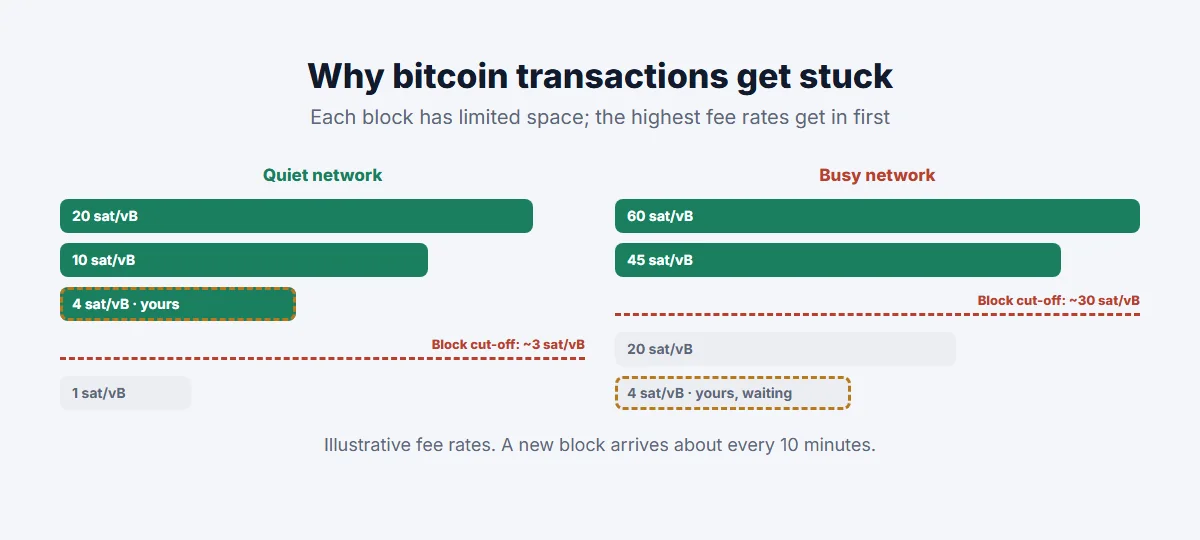
A Bitcoin block arrives about every 10 minutes and has limited space. When more transactions are waiting than fit, miners prioritise those with the highest fee rate. The minimum rate needed to get in rises during busy periods, such as sharp price moves or waves of activity on the network, and falls when things calm down.
Your fee is fixed when you send, so if demand rises right after, or your wallet estimated too low, your transaction can be left behind. A transaction also takes up more space if it spends many small inputs, which makes it more expensive to confirm at the same fee rate.
How to speed up a bitcoin transaction
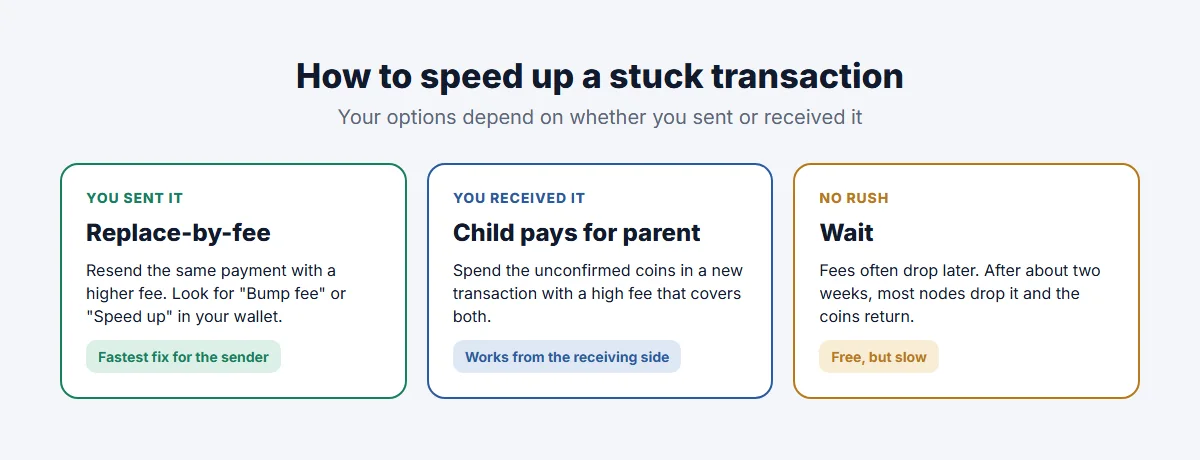
Option 1: Replace-by-fee (RBF), if you sent it
Replace-by-fee lets the sender rebroadcast the same payment with a higher fee. Miners then take the new version, and the old one is discarded. In many wallets it’s a button labelled “Bump fee”, “Speed up” or “Increase fee” on the pending transaction.
- Choose a new fee rate at or above what’s currently getting into blocks.
- Bitcoin Core has accepted fee replacements by default since version 28.0 (2024), so most nodes and miners will relay your replacement, even if the original wasn’t marked as replaceable. Your wallet still needs to support creating the replacement.
Option 2: Child pays for parent (CPFP), if you received it
If you’re the recipient, or the sender’s wallet doesn’t support RBF, you can use child pays for parent. You create a new transaction that spends the unconfirmed coins (the “child”) with a high fee. To include the child, a miner must also include the stuck parent, so the high fee pays for both.
- Wallets that support it usually offer it on the incoming transaction.
- The child’s fee needs to be high enough to cover both transactions at a competitive rate.
- If your coins went to change in your own wallet, the sender can use CPFP on the change output too.
Option 3: Wait
If you’re not in a hurry, waiting often works. Network demand goes up and down, and fee rates are often lower at weekends. If a transaction stays unconfirmed for about two weeks, most nodes drop it from their mempools (Bitcoin Core’s default expiry is 336 hours). Your wallet will then show the coins as spendable again, and you can resend with a proper fee. Some wallets need a rescan or a “cancel” action to recognise this.
Paid transaction accelerators, where a mining pool agrees to include your transaction for a fee, also exist. Use only well-known services, and be very wary of anyone in chats or social media offering to “unstick” a transaction, which is a common scam.
Bitcoin transaction unconfirmed after an exchange withdrawal
You can’t bump the fee on an exchange withdrawal yourself, because the exchange controls the sending wallet. Exchanges normally set fees high enough to confirm quickly, and many batch withdrawals together. If it’s stuck:
- Look up the TXID the exchange gives you on a block explorer.
- If it’s unconfirmed with a low fee, contact the exchange’s support through its official app or website.
- If you control the receiving wallet, you can use CPFP on the incoming output yourself.
How to avoid it next time
- Check current fee rates on a mempool explorer before sending, and use your wallet’s recommended “fast” or “priority” option when it matters.
- Use a wallet that supports RBF so you can bump the fee later if needed.
- Avoid peak times for large, non-urgent payments.
- Consolidate many small inputs into one when fees are low, so future transactions are smaller and cheaper.
- For small, frequent payments, consider the Lightning Network; see what is a layer 2?.
For the basics of how blocks and confirmations work, see how blockchain works. On Ethereum the process is different; see why is my Ethereum transaction pending?.