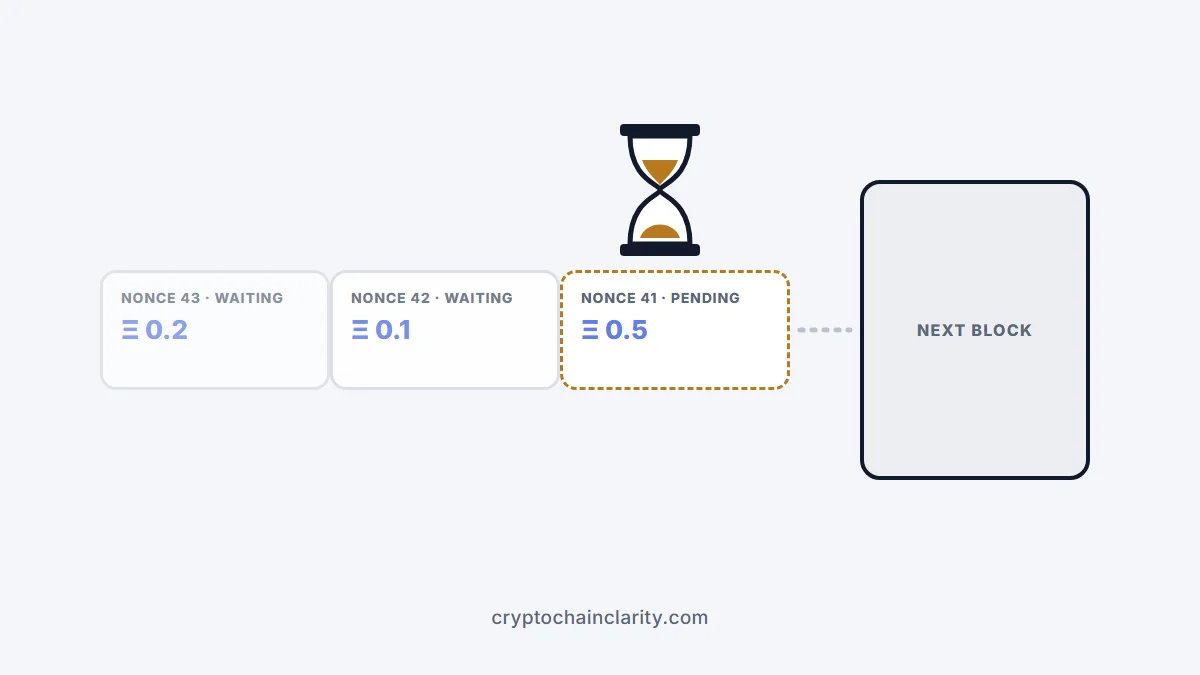
An Ethereum transaction pending for a long time almost always has one of two causes: the maximum fee you set is now below the network’s base fee, so validators can’t include it, or an earlier transaction from the same address is stuck, and everything after it is waiting in line. Your ETH isn’t lost while it’s pending. You can speed it up by resubmitting it with a higher fee, or cancel it by replacing it with an empty transaction that uses the same nonce.
Here’s how to tell which problem you have and fix it, with notes for MetaMask and other wallets.
Step 1: Look up the transaction
Copy the transaction hash from your wallet’s activity list and search it on Etherscan (or the explorer for the network you used, such as Arbiscan or Basescan). Check:
- Status: pending, or not found at all.
- Max fee and priority fee you set, compared with the current base fee shown in Etherscan’s gas tracker.
- Nonce: the transaction’s number in your address’s sequence.
If the explorer can’t find it, the transaction may never have reached the network or may have been dropped. In that case, your wallet may show it as pending even though nothing is happening; resetting the wallet’s activity or sending a replacement with the same nonce resolves it.
Why your Ethereum transaction is pending: the two common causes
Cause 1: The fee is below the current base fee
Every Ethereum transaction sets a maximum fee per unit of gas. The network’s base fee rises and falls with demand, block by block. If the base fee climbs above your maximum, your transaction can’t be included until it falls again. What are gas fees? explains how the base fee moves.
Cause 2: An earlier transaction is blocking the queue
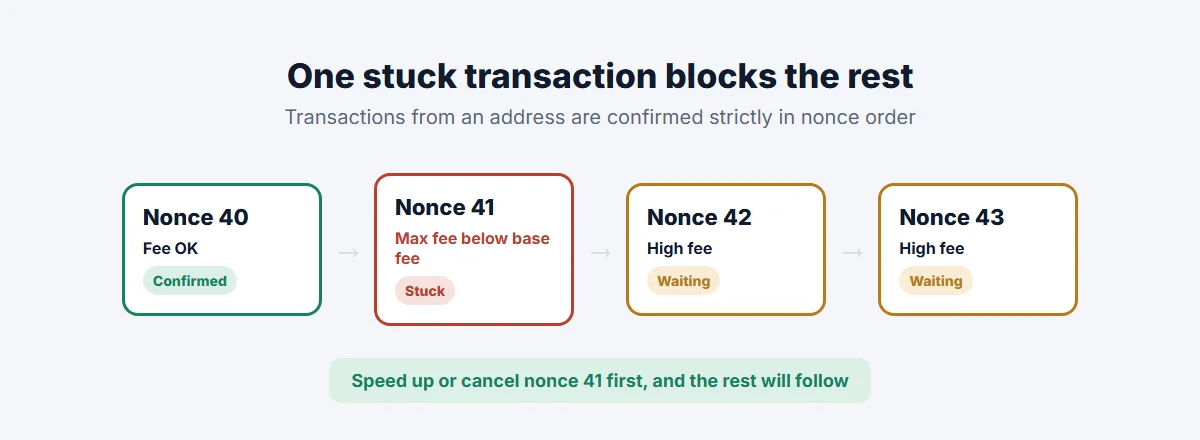
Every transaction from your address has a nonce, a counter that goes up by one each time: 0, 1, 2 and so on. The network processes them strictly in order. If nonce 41 is stuck with a low fee, nonces 42 and 43 can’t be confirmed, however high their fees are.
That’s why you sometimes see several transactions pending at once. The fix is always to deal with the oldest pending nonce first.
How to speed up or cancel an Ethereum transaction
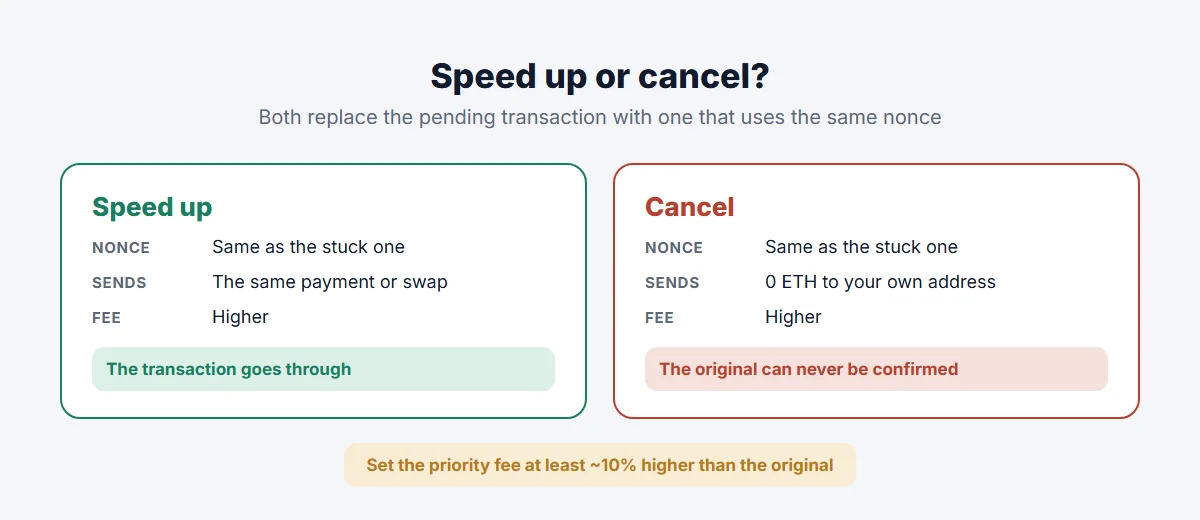
Both options work the same way underneath: you send a new transaction with the same nonce and a higher fee. Only one transaction per nonce can ever be confirmed, so whichever is included first wins, and the other is discarded.
Speed up
The replacement is the same transaction (same recipient, same amount, same data) with a higher fee. Use this when you still want the payment or swap to go through.
Cancel
The replacement sends 0 ETH to your own address with the same nonce and a higher fee. When it’s confirmed, the original can never be. You still pay the fee for the cancel transaction.
In MetaMask
MetaMask has built-in Speed up and Cancel buttons on pending transactions in your activity list, described in its guide to speeding up or cancelling a pending transaction. If the buttons don’t work:
- Turn on Customize transaction nonce in Advanced settings.
- Send 0 ETH to your own address, entering the nonce of the oldest pending transaction.
- Set a priority fee at least 10% higher than the original transaction’s, and a max fee above the current base fee.
MetaMask notes that you have to cancel in nonce order: you can’t cancel nonce 10 before nonce 9.
Other wallets
Most popular wallets offer speed-up or cancel options for pending transactions; some call it “replace”. Hardware wallet users usually do this through the companion app or by connecting the device to a wallet that supports custom nonces.
When you can’t speed up or cancel
- Exchange withdrawals. If the transaction was sent by an exchange, only the exchange can replace it. Contact its official support with the transaction hash.
- Already confirmed. A confirmed transaction can’t be cancelled or reversed. If it says “Success” on the explorer, it’s final. If it failed, the fee was still spent, but the tokens didn’t move.
- Low-fee transactions that are simply waiting. Doing nothing is also an option: if the base fee falls back below your maximum, the transaction will go through on its own.
How to avoid an Ethereum transaction pending for hours
- Use your wallet’s suggested fee rather than setting it manually low, especially when the network is busy.
- Don’t send several transactions in a row if the first one is pending; they’ll just queue behind it.
- Check the gas tracker before large or time-sensitive transactions.
- Use a layer 2 network such as Arbitrum or Base for everyday activity, where fees are lower and stuck transactions are rarer; see what is a layer 2?.
On Bitcoin the mechanics are different, with no nonces and different fee rules; see why is my bitcoin transaction unconfirmed?. And if your problem is that funds went to the wrong chain rather than getting stuck, see sent crypto to the wrong network.