
If you sent crypto to the wrong network, don’t panic and don’t send more. In many cases the funds aren’t lost. They arrived on a different blockchain than you intended, at an address that someone still controls, and whether you can get them back depends on who controls the keys to that address on that network.
If the receiving address is in your own wallet, you can almost always recover the funds yourself. If it’s an exchange deposit address, the exchange may be able to recover them, sometimes for a fee. If it’s an address nobody controls on that network, the funds are usually gone. This guide walks you through working out which case you’re in.
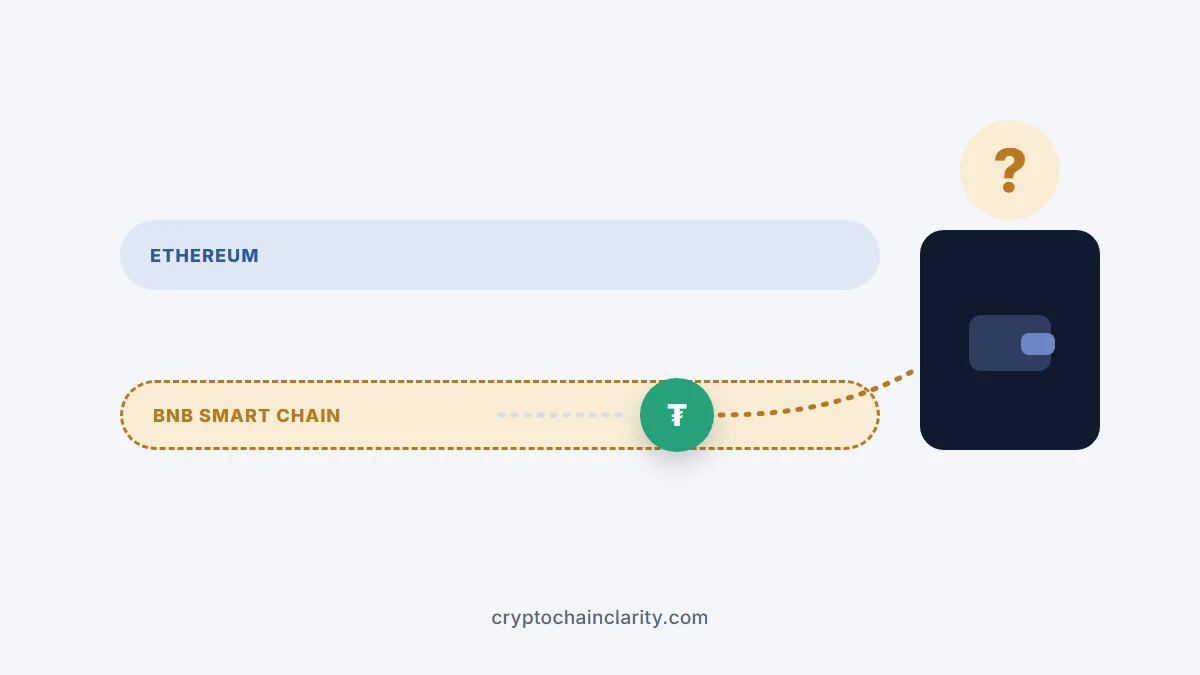
First, find out where the funds went
- Find the transaction hash (TXID) in your wallet or the exchange’s withdrawal history.
- Look it up on the block explorer for the network you actually used, for example Etherscan for Ethereum, BscScan for BNB Smart Chain, Arbiscan for Arbitrum or Basescan for Base.
- Check that the transaction succeeded and note the receiving address and the token sent.
Now you know three things: the network it went to, the address it landed at, and whether that address belongs to you, an exchange or someone else.
Sent crypto to the wrong network? Which case are you in
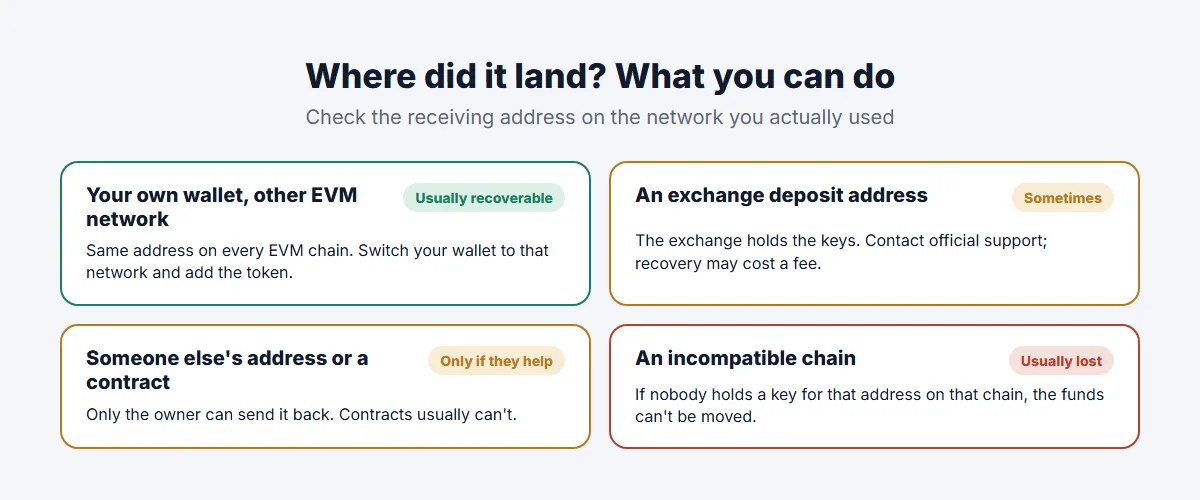
Case 1: You sent to your own wallet on a different EVM network (usually recoverable)
Ethereum, BNB Smart Chain, Polygon, Arbitrum, Optimism, Base, Avalanche C-Chain and other EVM-compatible networks all use the same address format. A wallet created from one recovery phrase has the same address on all of them.
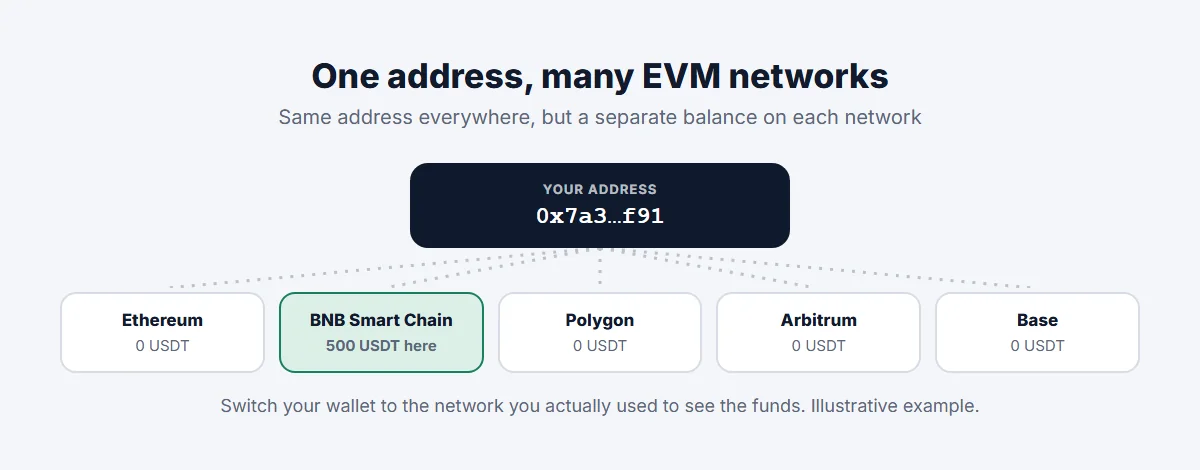
So if you sent USDT on BNB Smart Chain to your MetaMask address, but you were looking on Ethereum, the funds are sitting at your address on BNB Smart Chain. To see and use them:
- Switch your wallet to the network you actually used, or add it if it isn’t listed.
- Add the token by its contract address if it doesn’t appear automatically.
- You’ll need a little of that network’s native coin (BNB, MATIC/POL, ETH on a layer 2) to pay fees if you want to move the funds back.
MetaMask’s help article on funds sent on the wrong network describes exactly this. With a hardware wallet, you may need to connect it to a wallet app that supports that network.
Case 2: You sent to an exchange on a network it doesn’t support (sometimes recoverable)
This is the most common mistake: withdrawing USDT, USDC or ETH from one platform on a cheap network, to a deposit address on an exchange that only accepts that token on another network.
The exchange controls the keys to its deposit addresses, so it may be able to recover the funds, but it isn’t obliged to and often charges for it:
- Some exchanges offer self-service recovery tools. Coinbase, for example, has an asset recovery tool for certain unsupported tokens sent on Ethereum and some other EVM networks, with a network fee and a percentage fee above a threshold, and no guarantee of success.
- Others handle it through a support ticket, sometimes only above a minimum amount.
Contact the exchange through its official website or app, give it the transaction hash, the network, the token and your deposit address, and ask whether recovery is possible and at what cost. If you deposited to an exchange on a network it doesn’t use at all, the chances are lower.
Case 3: You sent to an address someone else controls
If the funds went to someone else’s address on another network, only that person can send them back. If you know who it is (a friend, a business), ask. If it’s an unknown address, recovery is usually impossible.
Sending tokens directly to a token’s contract address or another smart contract is a special case: unless the contract was designed to return tokens, they’re usually stuck permanently.
Case 4: You sent between incompatible blockchains (usually unrecoverable)
Bitcoin, Ethereum, Solana, Tron and other non-EVM chains use different address formats, so most wallets block a cross-chain send outright. If a transfer went through to an address on a chain where nobody holds the corresponding key, the funds are generally unrecoverable.
Beware of recovery scams
People who post about lost funds are prime targets. Scammers reply on social media, in forums and by direct message, claiming they can recover anything for a fee or asking you to “connect your wallet” to a recovery site.
- Never share your recovery phrase. No legitimate wallet, exchange or recovery service needs it.
- Ignore unsolicited offers of help. As MetaMask’s own guidance warns, people offering to recover funds for a fee are very likely scammers.
- Use only the official support channels of the wallet or exchange involved.
Common crypto scams explains these tactics in more detail.
How to avoid sending on the wrong network
- Match the network on both sides. On the receiving exchange or wallet, check which network the deposit address is for, then select exactly the same network when withdrawing.
- Read the warning on the deposit screen. Exchanges usually show which networks they accept for each token.
- Send a small test first, especially to a new address or on a network you haven’t used before.
- Watch for tokens on many networks. USDT and USDC exist on many chains, which is where most mix-ups happen. What is a stablecoin? explains why.
- Know your layer 2s. Addresses on Arbitrum, Optimism and Base look identical to Ethereum addresses; what is a layer 2? covers the differences.
Our guide on moving crypto from Coinbase to a hardware wallet shows these checks step by step. If your problem is a wrong address rather than a wrong network, see crypto sent to the wrong address.
Pingback: Crypto Sent to the Wrong Address: Is It Lost Forever?