In the Coinbase vs Kraken choice, both are long-established, regulated exchanges and either is a reasonable place to buy your first crypto. Coinbase is the easier one to start with and is a US-listed public company. Kraken usually works out cheaper once you use its advanced trading screen, and it has a long record with no major loss of customer funds. The fee gap between them is smaller than the gap between using either one’s simple “Buy” button and its advanced screen.
Below we compare them on the things that matter to a beginner: what you’ll really pay, how safe each one is, how easy they are to use, and where they’re available.
Coinbase vs Kraken at a glance
| Coinbase | Kraken | |
|---|---|---|
| Founded | 2012 | 2011 |
| Ownership | Public company (Nasdaq: COIN) | Private company |
| Best for | Absolute beginners who want the simplest app | Beginners willing to learn a cheaper advanced screen |
| Simple buy | Spread plus a fee, shown before you confirm | 1% fee plus spread on instant buys |
| Advanced trading | Coinbase Advanced | Kraken Pro: 0.40% maker / 0.80% taker at the entry tier |
| Proof of customer assets | Audited financial statements filed with the SEC | Regular proof-of-reserves attestations |
| Notable incident | 2025 customer data breach (no funds or passwords taken) | Small insider data incident (no funds taken) |
| US availability | Almost all states, including New York | Not available in New York; check your state |
Kraken figures come from its official fee schedule as of November 2026. Fees on both exchanges change, so always check the total on the order preview.
Coinbase vs Kraken fees: where the real difference is
Both exchanges have two ways to buy, and they’re priced very differently.
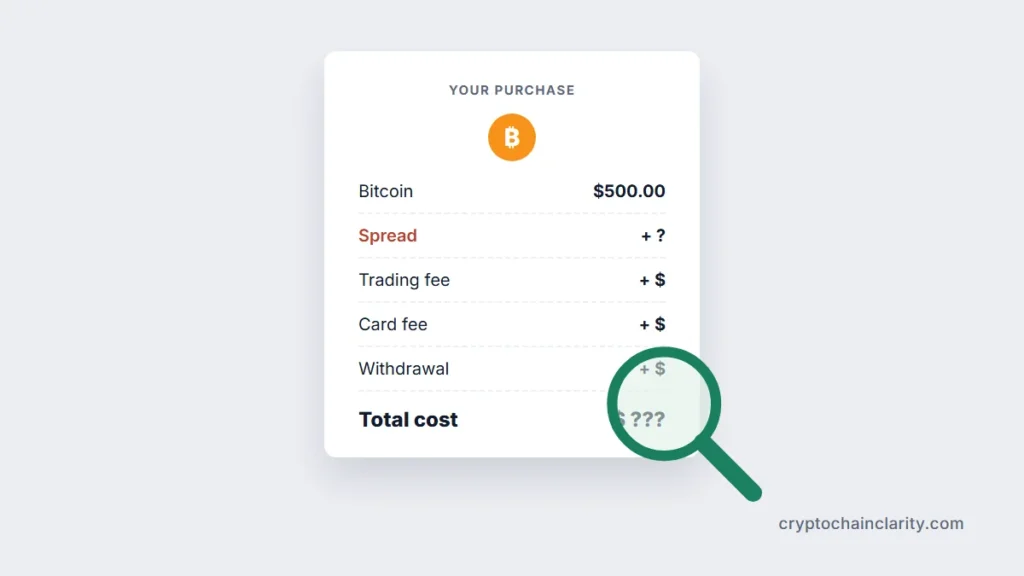
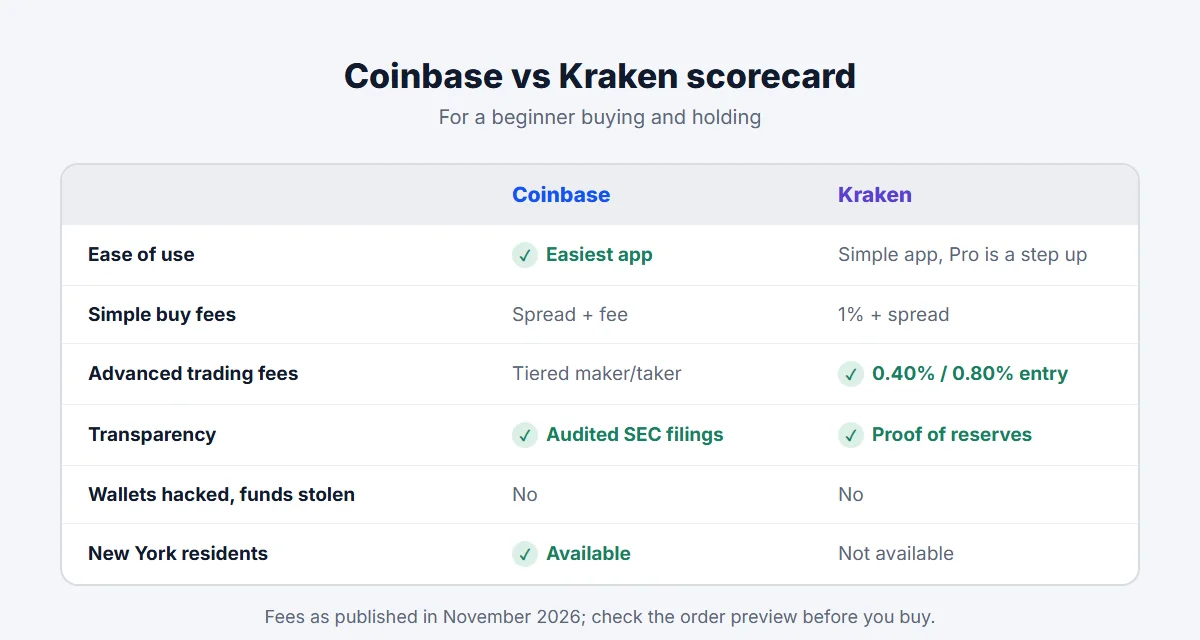
The simple buy screen is what you see when you open the app and tap Buy. You enter an amount and confirm. The price includes a spread (a markup on the market price) plus a fee. Kraken charges a flat 1% fee on instant and recurring buys, with the spread built into the quoted price. Coinbase’s simple trade also adds a spread and a fee that depends on the amount and payment method. On both, paying by card costs more than paying from your cash balance after a bank transfer.
The advanced screen (Coinbase Advanced or Kraken Pro) lets you place orders directly on the exchange’s order book. There’s no built-in spread, and you pay a maker fee if your order waits on the book (a limit order) or a taker fee if it fills immediately (a market order). Kraken Pro starts at 0.40% maker and 0.80% taker, and both rates fall as your 30-day volume rises. Coinbase Advanced also uses maker and taker tiers. Its entry-level rates have changed several times in 2026, so check its current fee page before comparing.
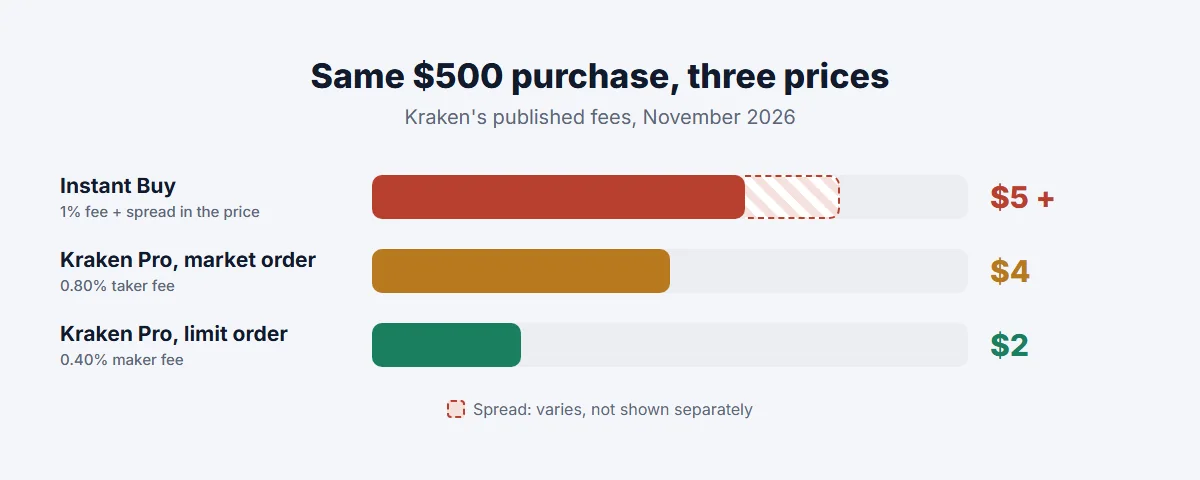
The practical lesson: switching to the advanced screen saves more money than switching exchanges. If you buy small amounts once and hold, the difference is a few dollars. If you plan to buy every month, it adds up, and learning to place a limit order is worth the ten minutes it takes.
Other costs to check:
- Deposits: bank transfers are usually free or cheap on both; card payments cost more.
- Withdrawals to your own wallet: both charge a network fee that varies by coin. Compare it on the withdrawal screen before you send.
- Subscriptions: Coinbase One and Kraken+ offer reduced or zero trading fees on simple buys up to certain limits for a monthly fee. They only pay off if you buy often.
Our guide to crypto exchange fees explains spreads, maker and taker fees and withdrawal fees with worked examples.
Safety and track record
Neither exchange has had its own wallets hacked and customer crypto stolen, which is more than many exchanges can say. Individual accounts are another matter: in 2021, attackers abused a flaw in Coinbase’s SMS account recovery to take over several thousand accounts, and Coinbase reimbursed the affected customers. Both keep most customer crypto in offline cold storage and support app-based two-factor authentication and withdrawal address allowlists.
Where they differ is in transparency and in incidents involving customer data:
- Coinbase is a public company, so it publishes audited financial statements with the SEC every quarter and year, including how much customer crypto it holds. In May 2025 it disclosed that criminals had bribed overseas support contractors to copy customer data, including names, addresses and ID images, for less than 1% of its monthly transacting users. No passwords, private keys or funds were taken, but the data was used for impersonation scams. Coinbase refused a $20 million ransom demand and said it would reimburse customers tricked into sending funds.
- Kraken is private, so it doesn’t publish full financial statements. Instead it publishes regular proof-of-reserves attestations showing that client balances are backed 1:1, checked by an outside firm. It has also had an insider incident in which support data for about 2,000 accounts may have been viewed; no funds were affected.
Both incidents show the same risk: scammers who know your name and that you hold crypto. Whichever exchange you use, treat any unexpected call or message from “support” as a scam until proven otherwise. Common crypto scams shows how these impersonation attempts work.
And remember that any exchange account carries risks that a wallet you control doesn’t. Is it safe to keep crypto on an exchange? explains them and how much to leave there.
Ease of use
Coinbase is built for people buying crypto for the first time. The app guides you through identity checks, linking a bank account and making a first purchase, and explains most terms as you go. The downside of that simplicity is that the cheapest way to buy, Coinbase Advanced, is a separate mode many users never discover.
Kraken has a clean main app that’s almost as simple for instant buys, and Kraken Pro is a separate app (or web interface) for advanced trading. Pro is more intimidating at first, with charts and an order book, but placing a basic limit order only takes a few fields.
If the words “order book” make you want to close the tab, Coinbase will feel more comfortable. If you’re happy to spend a few minutes learning, Kraken Pro rewards you with lower costs.
Availability by country
- United States: Coinbase is available in New York and almost every other state. Kraken isn’t available to New York residents and some features vary by state, so check Kraken’s support pages for your state before signing up.
- United Kingdom: both serve UK customers and are registered with the FCA. As with any UK crypto firm, your first purchase includes a risk warning, an appropriateness quiz and a 24-hour cooling-off period.
- Canada: both operate in Canada. Confirm that the platform appears on the Canadian Securities Administrators’ list of registered crypto trading platforms before depositing.
- Australia: both operate in Australia; check that the entity is registered with AUSTRAC.
Coin selection also varies by country. If you want a specific smaller coin, check that it’s available to you on each exchange before choosing.
Coinbase vs Kraken: which should you choose?
Choose Coinbase if you want the most guided experience, value a public company’s audited disclosures, or live in New York, where Kraken isn’t available.
Choose Kraken if you’re comfortable learning a slightly more advanced screen to cut fees, plan to buy regularly, or value its long record of proof-of-reserves reporting.
Whichever you pick, the habits that protect you are the same: use app-based 2FA, fund by bank transfer, check the total cost before confirming, and move larger, long-term holdings to a wallet you control. If you’re starting from zero, how to buy crypto safely for the first time walks through the whole process, and moving crypto from Coinbase to a hardware wallet shows the transfer once you’re ready.